- Choose Startup... from the Preferences... item of the File menu to display the Startup preferences dialog box below.
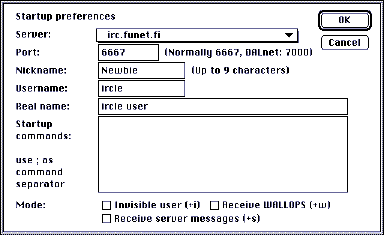
- Pull down the Server pop-up to pick an IRC server which is both geographically close to you and on the desired network. Listed in the top two sections are EFnet servers, then Undernet and DALnet servers, followed up by 'others')
If you cannot see an appropriate server, do the next step; otherwise go to step 4.
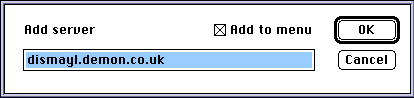
- Type in the name of the new server;
- Check the Add to menu box if you want to use this server agian in a later session
- Click the OK button.
- Enter a Nickname - the name you want to be known by when chatting;
- Enter a Username - optional. This name will be displayed along with your site address in the User List window;
- Enter your Real name - also optional. You could set this to your email address.
- Click on the OK button to accept these entries.
Your basic preferences are now set-up, ready for you to connect with the server.